
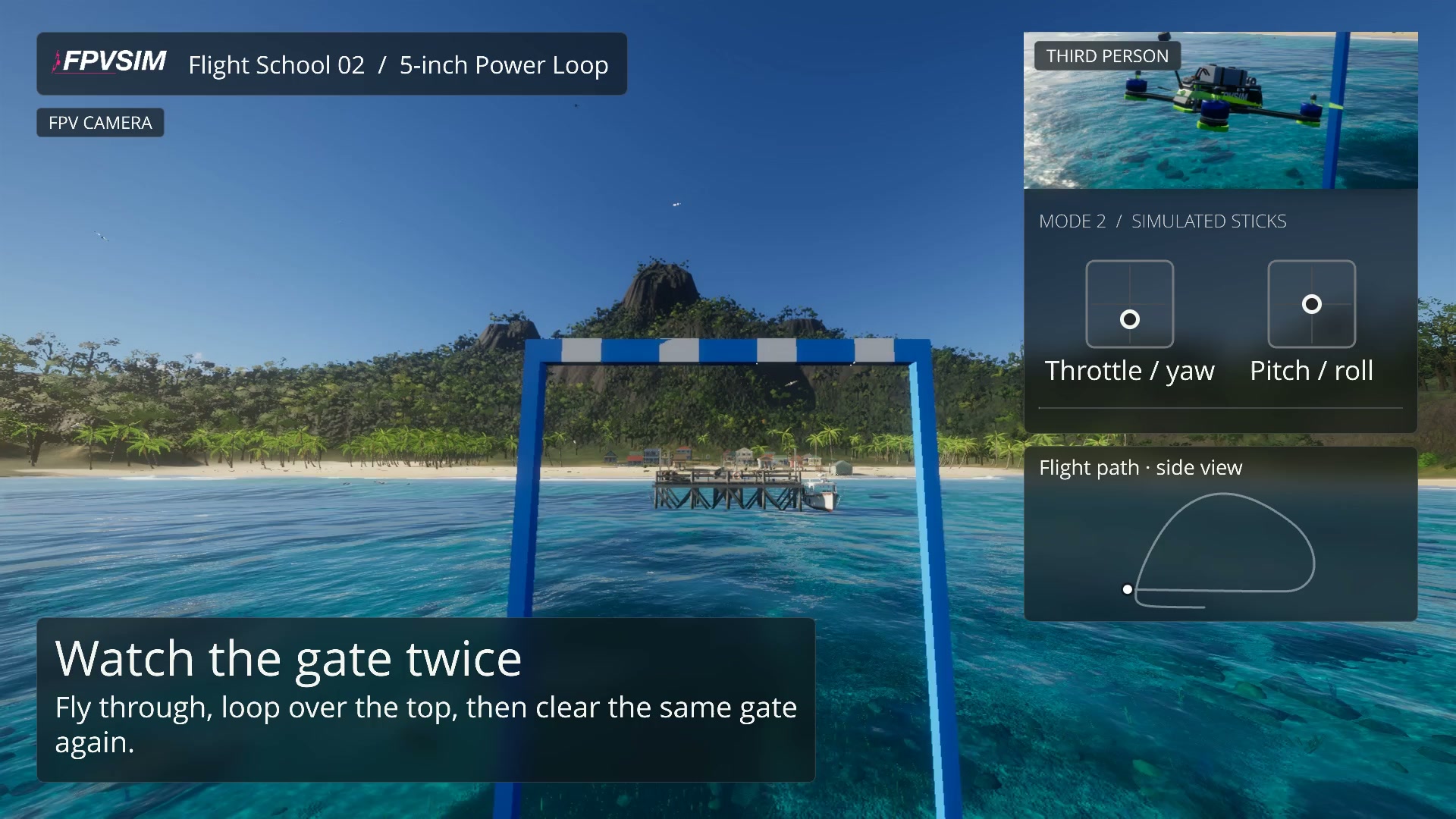
The blue crossbar passes overhead, disappears and returns to the pilot's view. The quad flies through the same opening twice in the same direction. Watch the first pass at full speed. On the replay, follow the dot in the side view to see where the quad is when the crossbar disappears.
Watch the English lesson · 观看简体中文版 · Watch vertically on Instagram
Play the widescreen lesson (MP4) · 播放中文版(MP4) · Play the vertical lesson (MP4)
Try the loop
In FPVSIM, select 5-inch Quad and Acro. The lesson uses Mode 2. Start over open space with a landmark ahead, then try a gate once you can line up the exit.
- Approach straight. After you clear the opening, add throttle and pull the right stick back to start the climb.
- Ease the throttle near the top while keeping the backward rotation going. Watch the horizon roll out of sight.
- As the ground returns, find the blue crossbar. Bring throttle back in to catch the descent and relax back pitch as you line up the opening.
- Fly through on your original heading. If the gate stays behind you, replay the outside view and vary where you start the pull-up while keeping your entry speed similar.
What the cameras show
Both views and the side profile follow one scripted flight using FPVSIM's stock quad physics. The blue arch was placed for this lesson. The inputs belong to that take, and your entry speed and rates will change the timing.
Simulator capture and original instrumental by FPVSIM. Stock 5-inch preset with the iFlight Nazgul XL5 visual model. Island scenery credits.