Set Up a Custom Router for FPVSIM Timer
Configure a dedicated router for the first time to give FPVSIM Timer a stable race-day network.

Repurpose an old phone to extend FPVSIM Timer network coverage when your race venue needs more range.
An unused phone can act as a Wi-Fi bridge between an FPVSIM timer and the device running the Timer app. The video demonstrates the arrangement for Timer Solo and discusses a more device-dependent Timer Multi variation.
Mobile hotspot behavior varies by phone, operating system, carrier settings, and OS version. Treat this as an event-day option to test in advance, not a guaranteed replacement for a purpose-built router or wired network.
Choose a plain SSID and a secure password, then enable the hotspot before powering or configuring the timer.
Join the timer hotspot from the app device and use the Timer app to open its router settings.
Enter the phone hotspot SSID and password exactly, save, and reboot the timer.
Reconnect directly if necessary and note the IP assigned on the phone hotspot. Then join the app device to the phone hotspot and connect to that IP.
Put the phone above obstructions and between both endpoints. Run a sustained test with RC transmitters, VTX units, and the actual event traffic active.
The video relies on an Android device that can remain a hotspot while also joining the Timer Multi access point. Many phones cannot do both, so confirm this exact behavior before planning around it.
A phone bridge is still a wireless link exposed to interference, power management, and hotspot shutdowns. The video presents it as a useful range option, especially for Solo, while recommending a wired arrangement when reliability is critical.
This transcript was cleaned from the public English captions. The demonstration password was deliberately omitted, and device-specific hotspot behavior is described as historical rather than universal.
About 00:00
An old Android phone or iPhone can extend the practical distance between the app and the timer. The timer joins the old phone's hotspot, and the app device joins the same network. Place the old phone high and near the middle so each wireless hop is shorter.
About 01:30
Configure a hotspot name and password on the old phone and turn it on. Power the timer, join the timer hotspot, connect from the app, and enter the phone hotspot credentials in the timer's router settings. Save and reboot.
About 03:00
Connect directly once more if needed and note the timer's IP address on the phone network. Now put the main app device on the old phone hotspot and manually connect to that timer address. The old phone is the bridge between them.
About 04:30
Some iPhone hotspot names contain an apostrophe or other special character that the timer may not accept. Rename the phone with a simpler network name if necessary. A Multi setup is possible only on an Android device that can keep its hotspot active while simultaneously joining another Wi-Fi network.
About 06:00
For that Multi variation, the bridge phone joins the Timer Multi access point while continuing to host the network used by the app device. Wireless links can still be disrupted by a crowded event, so a wired connection remains the safer choice for multiple pilots. The Solo use case is simpler.
About 07:30
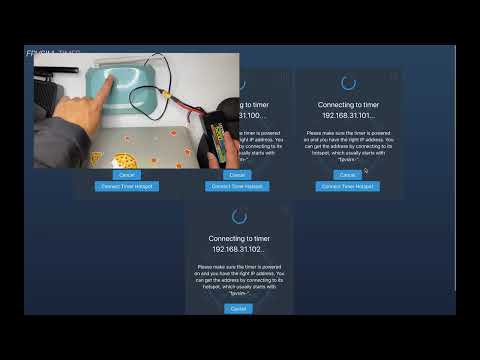
In the physical demonstration, the old phone sits between the desktop and a timer placed much farther away and partly shielded from direct signal. The timer still connects through the bridge and completes a successful test. This is an inexpensive option when extra range is needed and a router is not available.
Not necessarily. It must keep a stable hotspot running, and the Timer Multi variation additionally requires simultaneous hotspot and Wi-Fi client operation.
The video found that an iPhone-generated name containing an apostrophe could cause compatibility trouble. A short name using letters and numbers removes that variable.
No. Set your own strong password and keep it private. Tutorial credentials are public and should never protect an event network.
It can improve range by shortening each hop, but it still depends on consumer-phone hotspot behavior and wireless RF conditions. Test it under realistic load and prefer wired networking for critical events.
Keep learning
Configure a dedicated router for the first time to give FPVSIM Timer a stable race-day network.
Choose and configure a dependable 5 GHz Wi-Fi setup for low-interference FPVSIM Timer events.
Install and configure the FPVSIM Timer V3 Mahjong USB edition for reliable lap timing.


