A flowing race course
Link gates and flags into sweeping turns. Set checkpoints to define the route from start to finish.

Build the course you want to fly. Place gates and scenery, shape your race line, and test each change in the browser simulator.
Use a desktop browser with a mouse and keyboard. Sign-in and your plan’s track limits apply. View plans.
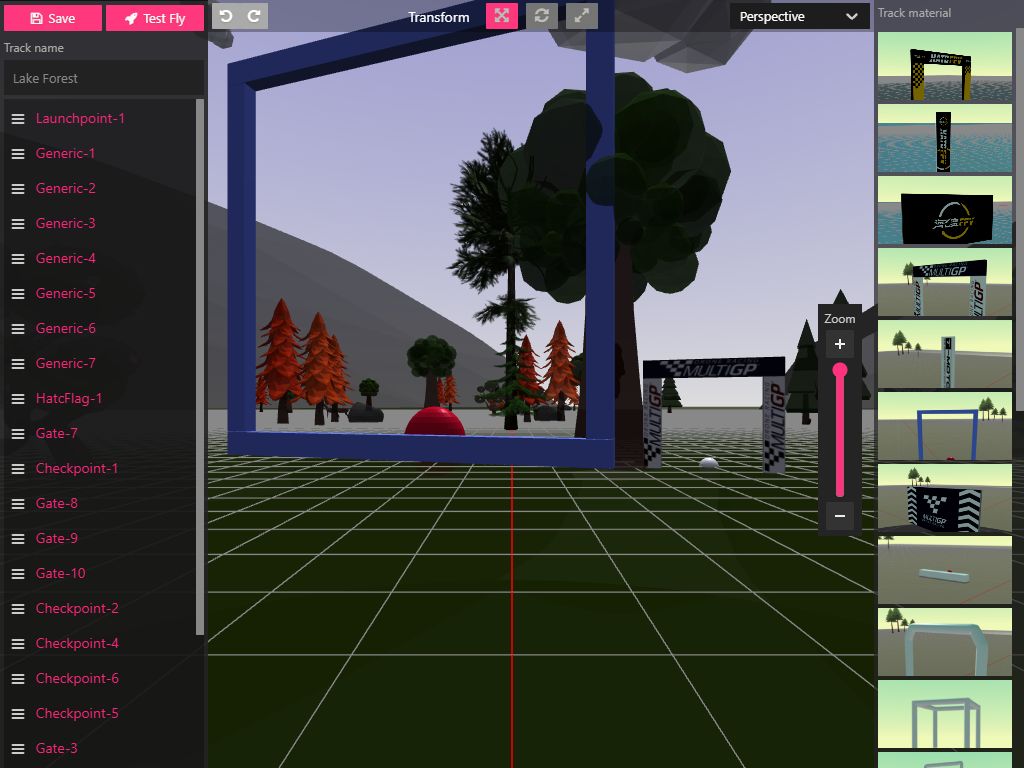
Build around the line you have in mind, then refine the details in the 3D view.
Read the track-building guideA course can be a race, a practice session or a new line to explore. Start with a track you like and make it your own.
Link gates and flags into sweeping turns. Set checkpoints to define the route from start to finish.
Bring gates closer, change their height and work on the transitions you want to improve.
Arrange obstacles around the flight path and explore different approaches to the same gap.
The track editor opens from the browser simulator’s track selector.
Open the browser simulator and sign in. In the track selector, choose a track and use Clone to create your own copy.
Use the pencil edit control on your track. Add course pieces, adjust their positions and set your checkpoints.
Save your changes, then use Test Fly to try the course. Come back to the editor to refine the next turn.
Track creation is subject to your account’s plan limits. Check browser access and plans.
