FPVSIM Timer Multi/Multiplayer version allows mobile phones to connect to the timer network through a wired Ethernet adapter to complete event operations on iOS or Android devices. This 28-second demonstration emphasizes lightweight connections: just prepare a compatible network port adapter and network cable, and there is no need to install additional drivers or complete complex configurations for the adapter.
Mobile phones replace computers, not timing hardware.
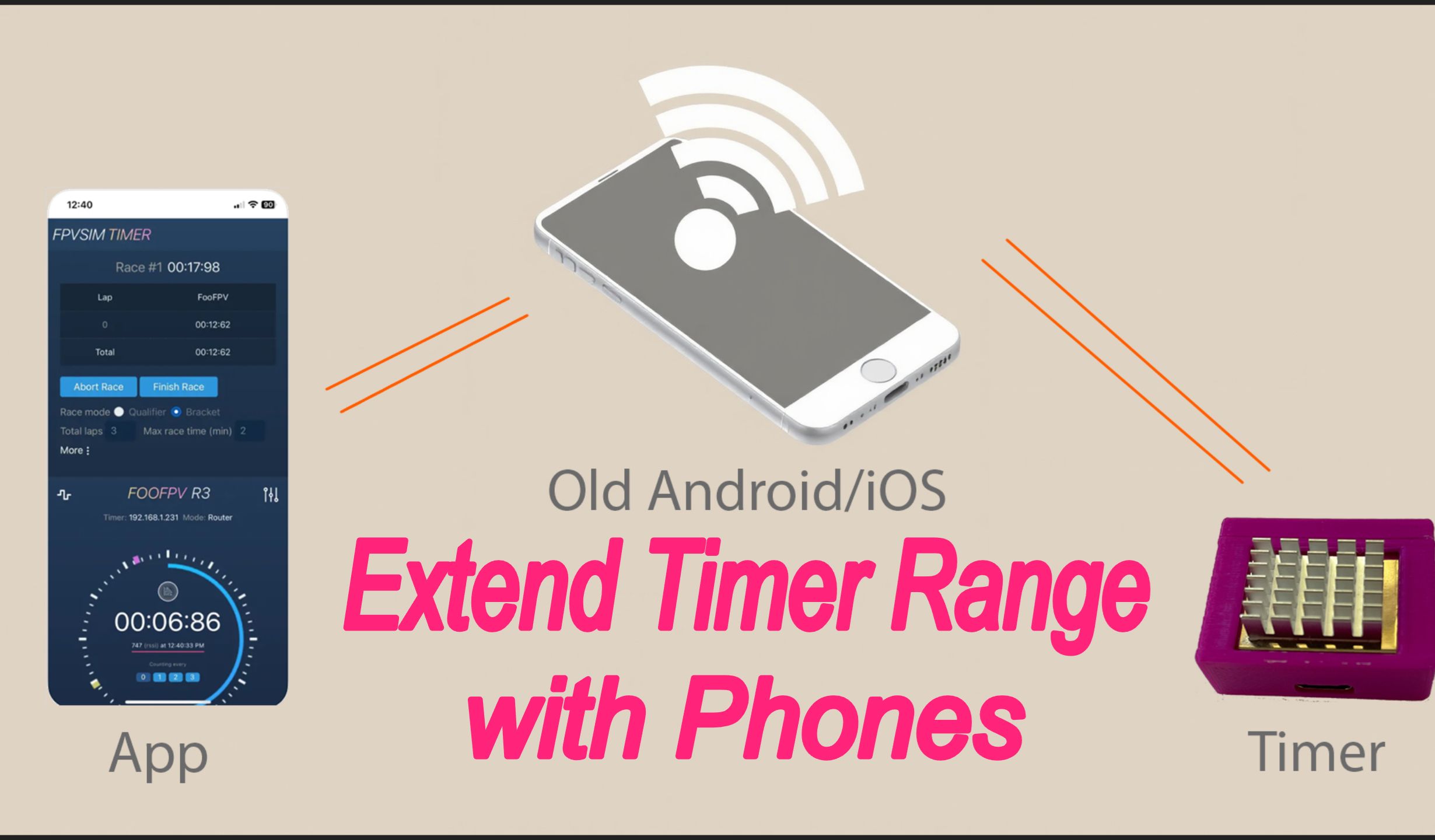
The basic topology of this solution is: FPVSIM Timer Multi/multiplayer version and its timer network continue to be responsible for event data, and the mobile phone serves as the operating terminal and enters the same network through a wired Ethernet connection. USB-C phones can use a compatible Ethernet to USB-C adapter; Apple devices require a network adapter that matches its interface. Neither the video nor the official instructions require installing a dedicated driver for the adapter.
"Using a mobile phone to run a competition" does not mean just bringing a mobile phone and being able to time it. You still need to prepare FPVSIM Timer Multi/multiplayer version, a working timer network, a wired network port adapter compatible with your mobile phone, and a network cable. The article does not infer application pages, IP addresses or routing settings not shown in the video; the specific entry should be based on the current Timer version documentation.
Why Small Events Are Suitable for Cable Cell Phone Plans
For practice sessions, small club events, or where the console needs to be moved quickly, a cell phone and small adapter are lighter than a laptop and can also reduce desk space and power supply arrangement. The video summarizes the advantage as no longer carrying a heavy laptop, but it doesn't claim that phone performance, screen space, or battery life outperforms computers in all events.
There’s also a practical benefit to opting for a wired connection: Event operations won’t be dependent on venue Wi-Fi coverage and crowding levels. However, reliability still depends on the network cable, adapter interface, mobile phone power supply and timer network itself. Before the official departure, a connection and lap test should be completed, and it should be confirmed that the mobile phone will not interrupt operation due to screen lock, low battery or power saving strategy.
Compatibility information needs to be reviewed according to the current version
When the video was released, it was clearly stated that both iOS and Android were supported, and that the corresponding adapters were also available in China. This is a compatibility statement at the time of version release. It does not mean that every mobile phone, system version and adapter chip will be available. Phone interface, adapter's wired network support and current FPVSIM Timer documentation should be checked before purchasing.
If the event is larger, requires more information to be managed simultaneously, or is running for longer periods of time, a laptop may still be more suitable in terms of screen size, continuous power supply, and multi-window operation. The value of a mobile solution is to provide another portable entry, rather than forcing all events to abandon computers. Current product and version information can be found at fpvsim.com/timer.
Operation steps
- Prepare compatible wired adapter
Press the phone interface to select Ethernet to USB-C or compatible Apple network port adapter, and confirm that you are using FPVSIM Timer Multi/Multiplayer Edition.
- Connect your phone to the timer network
Establish a wired connection using a network cable and adapter. The beginning of the video shows the goal of running the event on a mobile phone, and the narration explains that the adapter does not require additional drivers or additional settings.
- Do an actual lap test before the race
Enter the Timer Multi operation portal provided by the current version on the mobile phone, confirm that the event data is visible, and use real timing hardware to verify one lap; the specific interface and network portal are subject to the current document.
FAQ
Is it possible to complete the timing using just your mobile phone?
Don’t think of your phone as all timekeeping hardware. The mobile phone is the operating terminal and still requires FPVSIM Timer Multi/multiplayer version, timer network, network cable and compatible wired Ethernet adapter.
Do I need to install the driver for the Ethernet adapter?
The video and official description indicate that this solution does not require additional drivers or additional settings; however, the compatibility of different mobile phones and adapter chips should still be checked before purchase.
Can it be used on both iPhone and Android?
When the video was released, it was clearly stated that both iOS and Android are supported. Since the system and hardware will be updated, you should still check the current Timer documentation and do a connection test before actual use.
Is a mobile phone solution definitely better than a laptop?
Not necessarily. It is lighter, takes up less space, and is suitable for some small events; large events may still require a laptop's screen, power supply, and multi-window capabilities.
Full timeline transcript
Transcripts are arranged according to video time, making it easy to quickly locate the explanation content. Transcript language: English.
Run drone races from your phone. With a cheap Ethernet adapter, no driver or setup needed with FPVSIM timer multi-edition. iOS and Android both supported. Time to get rid of that heavy laptop.